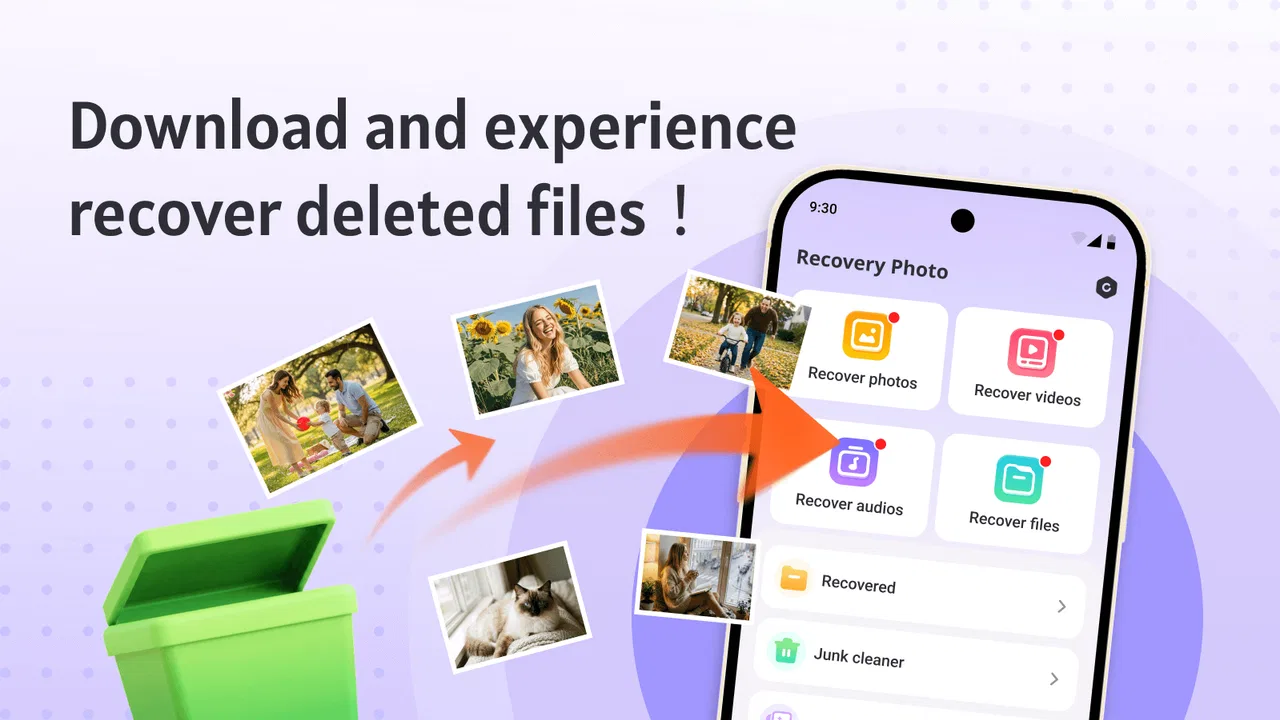
Recovery Photo-Recover Files
- 3.2
- Rating
- 1.00M
- Installs
- Free
- Price

 Analysis by App-foxy
I approached Recovery Photo-Recover Files as a practical tool rather than a polished photo-management app. Its purpose is straightforward: help look for missing photos, videos, and other files on an Android device. That narrow focus is useful when a picture disappears and the usual gallery view offers no obvious way to bring it back, but it also means expectations matter. This is not a complete backup system, cloud archive, or replacement for careful file management.
In my experience, the app makes most sense as a first attempt after an accidental deletion. It is free, aimed at everyone, and comes from SCSOFT. The simple store summary points to three recovery areas, so the appeal is easy to understand: open the tool, choose the type of content you want to look for, and see whether anything recoverable appears. The real question is not whether the idea is useful, but how well it fits your phone, your storage habits, and the urgency of the lost file.
What the recovery workflow feels like in everyday use
The most realistic situation is an ordinary mistake. I can imagine clearing a camera folder to free space, then realizing that one family photo was removed with the rest. In that moment, a dedicated recovery tool is more convenient than searching through unrelated settings or trying to remember where the image was stored. Recovery Photo-Recover Files gives that situation a clear starting point because it is organized around recovery instead of general storage browsing.
You May Also Like

 Blood Strike: 2.5 Anniversary
Blood Strike’s Loadouts Turn Every Drop Into a Tactical Gamble
A close look at Blood Strike’s custom loadouts: how fast access to signature weapons reshapes its battle royale rhythm, rewards preparation, and narrows the gap between fights.

 Pandora - Music & Podcasts
Pandora’s Music Is Easy to Start, but Harder to Recover
Pandora’s strength is its low-effort path from a seed to a station. Its weak spot is how much confidence it asks you to place in connection, setup, and quiet recovery.

 8 Ball Pool
 Is Built on Rivalries, Rematches, and Routine
A close look at the rivalries, rematches, shared routines, and unanswered safety questions that turn a quick pool match into a persistent mobile community.

 Samsung Music
’s Quiet Strength Is Playing What You Already Own
Its reach comes less from spectacle than from dependable access to a personal library. That simplicity is both the app’s strongest retention engine and its ceiling.

 AccuWeather: Weather Radar
AccuWeather Review: A Quick, Clear Forecast for Everyday Decisions
For everyday plans, the best forecast is the one you can understand quickly. AccuWeather makes rain timing, radar, and local conditions easy to act on, with a few trade-offs.

 Hill Climb Racing
Why Hill Climb Racing Still Turns Crashes Into One More Run
A tiny car, a bumpy hill and one more upgrade: Hill Climb Racing keeps resurfacing because its simple chaos makes every near-miss feel personal.
More From Our News Desk



I would begin with photos when the missing item is an image, then move to video or general file recovery only when the first search does not help. That order is practical because it keeps the task focused and avoids treating every stored item as equally important. A focused search can also make the results easier to inspect, particularly on a phone containing years of screenshots, downloads, camera images, and messaging attachments.
One useful habit is to stop creating new files as soon as you notice the deletion. Take fewer photos, avoid downloading large videos, and postpone storage-heavy updates if possible. Deleted content can become harder to recover when the same storage area is reused. This is not a special feature of the app; it is the basic trade-off behind recovery tools, and it is one of the most important things to understand before starting a scan.
I would also avoid restoring recovered material to the same crowded folder immediately. If the app presents a usable result, I would save the most important items first and place them somewhere easy to check, such as a clearly named folder. This makes it simpler to compare recovered copies with the original gallery and reduces the chance of losing track of which files were found during the process.
Speed depends more on the search than the label
The word “recovery” can create the impression of an instant solution, but searching for deleted material is naturally different from opening a normal gallery. The app needs to examine storage rather than simply display an existing thumbnail. A small search may feel reasonably direct, while a device with many folders and large videos can require more patience.
I would judge speed by how quickly the app gives me useful results, not merely by how fast the first screen appears. A rapid scan that produces a confusing mass of files is less helpful than a slower process that lets me identify the right photo. For that reason, I would start with the narrowest relevant recovery option instead of immediately searching for every possible file type.
Videos deserve particular caution. They are larger than ordinary images and can make a recovery session feel heavier, especially when the phone has limited free space. If I only need one missing photograph, beginning with video recovery would be an inefficient choice. I would reserve that option for a case where the missing item is genuinely a recording or where the photo search gives no useful lead.
There is another practical speed issue: the condition of the storage itself. A nearly full phone, a large media library, or an older device can all make a file search feel less responsive. Recovery Photo-Recover Files may still be worth trying, but I would not interpret a long scan as proof that the app has failed. I would keep the phone connected to power, leave the app open, and avoid switching repeatedly between demanding applications.
What happens during a heavier recovery session
The most demanding moment is likely a broad search involving photos, videos, and miscellaneous files together. That kind of session asks the app to inspect more content and gives the phone more results to organize. If I were trying to recover several categories, I would run them one at a time rather than launching everything at once. This creates a clearer workflow and makes it easier to stop when the needed file has been found.
Large videos can also create a second burden after discovery. Finding a file is only part of the task; reviewing, selecting, and saving it may require additional storage. Before beginning, I would check that the phone has enough free room for recovered copies. A recovery app cannot solve a storage shortage by itself, and saving a large file onto an almost-full device can turn a successful search into another frustrating problem.
For the same reason, I would not treat every displayed result as worth saving. A recovery list can contain duplicates, old thumbnails, partial-looking media, or files whose names do not immediately explain their origin. My approach would be to preview or inspect the most recognizable candidates first, recover only the important ones, and then check them in the normal gallery or file browser. Selective recovery is more sensible than filling the phone with every possible match.
Resource demands are difficult to separate from the phone’s own condition. The app is a tool for Android devices, and its minimum operating-system requirement is Android 8.0. That makes it relevant to a wide range of devices, but compatibility alone does not guarantee the same experience on every handset. A newer phone with faster storage should feel more comfortable during a broad search than an older model with little free space.
I would also avoid using the device heavily while a recovery operation is running. Streaming, gaming, recording video, or downloading large files at the same time can compete for storage and processing resources. Even if the app remains open, multitasking can make the overall session feel slower and can complicate the recovery process. A quiet, uninterrupted search is the safer everyday workflow.
Reliability means checking the recovered file
A recovery result is not automatically a successful recovery. The important test is whether the file opens correctly, shows the expected image, or plays through without obvious damage. I would inspect recovered photos at full size and play recovered videos from beginning to end when they matter. A thumbnail alone is not enough evidence that the complete file is usable.
This is where I would keep my expectations realistic. The app offers photo recovery, video recovery, and file recovery as its central purpose, but no recovery tool can guarantee that every deleted item will return intact. The result depends on what remains on the device and whether the storage space has been reused. Recovery Photo-Recover Files is best viewed as a chance to retrieve something valuable, not as a substitute for a backup.
File recovery is especially broad. A general file search may return items that are less obvious than a camera image, including documents or media saved by another application. I would use descriptive clues such as approximate file type, folder context, and visible preview rather than relying only on filenames. If the missing item came from a messaging app or a download folder, I would also check that original application before assuming the file has truly vanished.
Another reliability habit is to compare the recovered copy with any remaining version elsewhere. A cloud gallery, computer folder, message thread, or shared conversation may contain a complete duplicate. If one exists, that alternative may be more reliable than a partially recovered file. The app is most valuable when it fills a genuine gap, not when it replaces a clean copy that is already available through a normal source.
The app’s public reception sits in the middle: it has an average rating of 3.5 from around two thousand ratings, alongside more than a million installs. I read that combination as a reason to try it with measured expectations. It suggests that the use case attracts many people, while the experience may vary enough that nobody should assume every search will end with a perfect result.
Device limits that should shape your decision
The Android requirement is important before installation. Recovery Photo-Recover Files supports devices running Android 8.0 or later, so anyone using an older system should not plan around it. On a supported phone, I would still consider storage space, device age, and the location of the deleted material. A compatible operating system is only the first part of a successful recovery attempt.
Storage location can also change the practical outcome. A file removed from ordinary internal storage is a different situation from one that was on a removable card, inside an application-managed area, or synchronized elsewhere. I would first remember where the file lived. If it was created by a camera, I would think about the camera folder; if it came from a download or messaging service, I would consider that application’s own storage behavior.
Privacy is another reason to use the app deliberately. Recovery work may expose personal photos, private videos, and documents in one place. I would perform the search in a private setting, avoid recovering sensitive material into a shared folder, and remove unwanted results after checking them. The app’s Everyone content rating describes its general audience suitability, but it does not change the personal nature of the files a recovery session may reveal.
I would skip this app when the real requirement is prevention rather than rescue. If you need automatic synchronization, version history, scheduled backups, or access from several devices, a dedicated backup or cloud-photo service is a better fit. Those tools help before deletion happens. This app becomes relevant after the mistake, when the normal copy is already missing and you need a focused recovery attempt.
I would also choose another option when the phone has suffered serious storage failure, cannot boot normally, or contains exceptionally important evidence. In those cases, repeated scanning can be the wrong approach, and a professional data-recovery service may be more appropriate. For ordinary accidental deletion, however, a free app is a reasonable first step before considering more complicated solutions.
Where it fits among the usual alternatives
The most obvious alternative is the device’s own trash or recently deleted area. I would check that first because it is usually easier to understand and may preserve the original item with its normal name and context. If the file is still there, restoring it through the gallery or file manager is preferable to scanning storage. Recovery Photo-Recover Files is more useful when the built-in route no longer shows the item.
A second alternative is restoring from a backup. That is generally cleaner when available, especially for important photos, because the recovered copy is more likely to be complete and organized. The trade-off is that backups may be outdated, disabled, or unavailable for the particular folder. This tool has the advantage of being immediate and local, while backup services have the advantage of prevention and continuity.
Desktop recovery programs can offer a more controlled workflow on some devices, particularly when a larger screen makes file inspection easier. They may also suit users who need to organize many results. The downside is extra setup and the need to connect the phone to another computer. Recovery Photo-Recover Files is more convenient for a quick attempt directly on Android, especially when the missing item is a single recent photo.
That convenience is also its limitation. A phone-based app is not automatically the strongest answer for every storage problem. If the search produces unclear results, if the file is critically important, or if the device is unstable, I would stop experimenting and protect the remaining data first. Convenience should not come at the cost of making a damaged phone harder to recover later.
My performance verdict after weighing the trade-offs
Recovery Photo-Recover Files is easiest to recommend as a focused, free first attempt after accidental deletion. Its purpose is clear, its age rating is Everyone, and the current release is version 1.0.1.3. I like the fact that it concentrates on photos, videos, and files instead of pretending to be a complete phone-maintenance suite. That focus makes sense when I am dealing with one missing item and want a direct place to begin.
I would use it with a careful sequence: stop writing new data, check the built-in deleted folder and backups, run the narrowest relevant search, inspect results rather than trusting filenames, and save only confirmed files. That workflow improves the odds of a useful outcome while keeping the session lighter on storage and easier to review. It also prevents the common mistake of treating every result as a complete, trustworthy copy.
My reservations are equally clear. Search speed can vary with the amount of storage and the device itself, broad scans may be demanding, and a displayed result may still need careful testing. The app should not be the only protection for irreplaceable memories. I would pair it with a reliable backup habit rather than waiting until the next deletion to discover how much was actually preserved.
Overall, I see this Tools app from SCSOFT as a sensible emergency utility for supported Android phones, not a guaranteed recovery service. Its free price removes the barrier to trying it, and its large install base shows that the problem it addresses is common. If I had just deleted a photo and had no clean copy elsewhere, Recovery Photo-Recover Files would be one of my first practical attempts. If I needed dependable long-term protection, a proper backup solution would remain the better choice.
FAQs for Recovery Photo-Recover Files
01What is Recovery Photo-Recover Files, and how does it work?
Recovery Photo-Recover Files is an app designed to help users recover accidentally deleted photos and files from their devices. It scans your storage to find recoverable files, displaying them for you to restore. The app utilizes advanced algorithms to efficiently retrieve lost data, making it an essential tool for anyone needing to recover important media.
02Is Recovery Photo-Recover Files compatible with both Android and iOS devices?
Yes, Recovery Photo-Recover Files is available for both Android and iOS platforms. The app is designed to work seamlessly across different operating systems, ensuring a smooth recovery process regardless of your device. Users can download it from the Google Play Store or the Apple App Store, depending on their device.
03Does Recovery Photo-Recover Files require root access on Android devices?
No, Recovery Photo-Recover Files does not require root access to function on Android devices. It is designed to work without needing to modify your device's system settings. This makes it accessible to a wider range of users who may not wish to root their phones for data recovery purposes.
04Are there any limitations on the types of files that can be recovered using this app?
Recovery Photo-Recover Files primarily focuses on recovering photos and image files. However, it also supports the retrieval of other file types, including videos and documents. While it handles a wide range of media, recovery success can depend on the file's condition and how long it has been deleted.
05Is there a cost associated with using Recovery Photo-Recover Files, or is it free?
Recovery Photo-Recover Files offers a free version that includes basic recovery features. For users requiring advanced recovery options, such as recovering files in bulk or accessing premium support, there may be in-app purchases or subscription options. It's advisable to check the app’s store page for detailed pricing information.
Pros
- Recovers deleted photos efficiently.
- Supports various file formats.
- Simple
- user-friendly interface.
- Quick scanning process.
- No root required for recovery.
Cons
- Limited free version features.
- Occasional recovery failures.
- Ads can be intrusive.
- Requires internet for best results.
- Some files may be partially recovered.

Recovery Photo-Recover Files
Gallery